 Stash Native SDK
 In-Game Browser
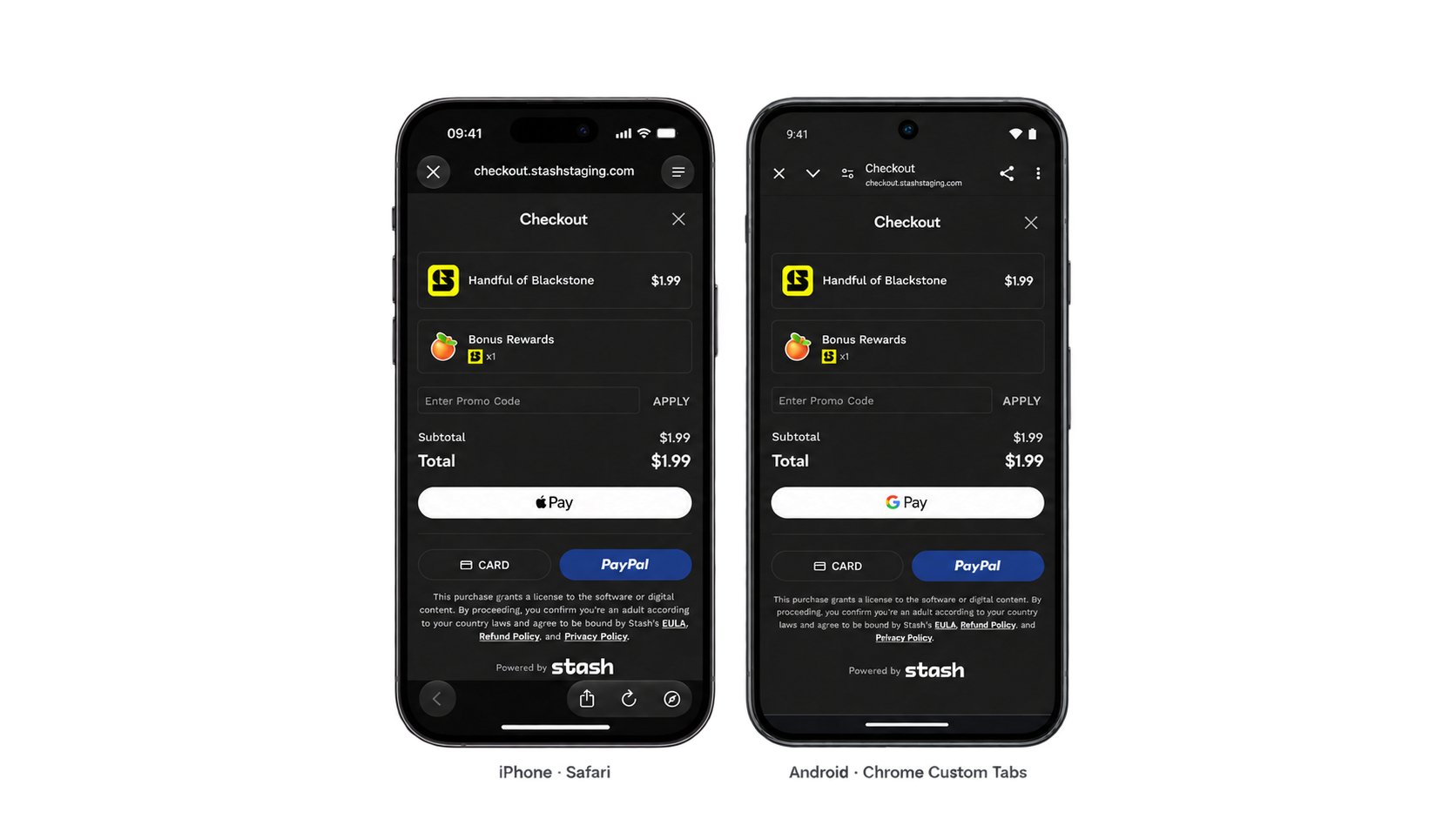
The in-game browser opens checkout or webshop links in Safari View Controller (iOS) or Chrome Custom Tabs (Android) without leaving the game.
What this means?
On iOS, SFSafariViewController presents a Safari view within your app; on Android, Chrome Custom Tabs (CCT) present a view over your app using a compatible installed browser. Users stay in the app’s flow without switching to a full browser and can close the view to return quickly to the host application. This makes the in-game browser an alternative to the Checkout Card for Stash Pay or a quick entry point to Stash Webshop.
Open the browser
StashNative.sharedInstance().openBrowser(withURL: url, from: self)
StashNative.getInstance().openBrowser(activity, url);
On Android, Custom Tabs require androidx.browser (Package Installation). Without it, links open in the system browser.
Forcing Portrait Browser (iOS)
Use this flag to open the browser in portrait on iPhone, even when the host application is locked to landscape. This is currently supported only on iOS. Android does not support forcing Chrome Custom Tabs into portrait, so users must rotate their device manually.
let config = StashNativeBrowserConfig()
config.orientationPreference = .portrait
StashNative.sharedInstance().openBrowser(withURL: url, from: self, config: config)
Keep-alive service (Android)
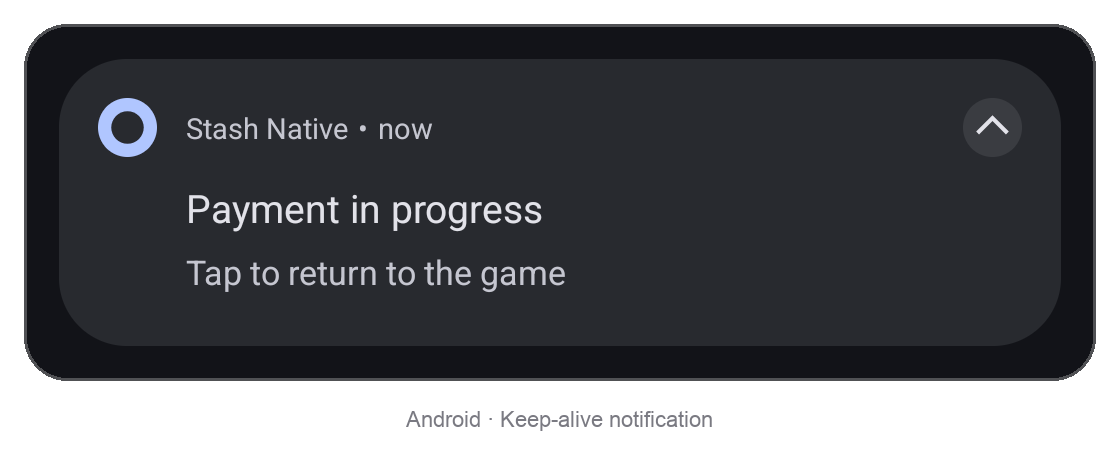
Android may suspend or stop the host app while the browser is open, especially on low-memory devices or in power-saving mode; behavior varies by vendor. The keep-alive service helps prevent this with a foreground notification. It is off by default but we recommend enabling it.
Configure and enable it once in your app’s code; the SDK starts the service automatically each time it opens the browser.
StashNative.KeepAliveConfig config = new StashNative.KeepAliveConfig();
config.notificationTitle = "Payment in progress";
config.notificationText = "Tap to return to the game";
config.notificationIconResId = R.drawable.ic_notification; // 0 uses the SDK icon
StashNative.getInstance().setKeepAliveConfig(config);
StashNative.getInstance().setKeepAliveEnabled(true);
On Android 13+, add and request POST_NOTIFICATIONS if you haven’t already. Without it, the service runs without a visible notification.
<uses-permission android:name="android.permission.POST_NOTIFICATIONS" />
Handling Results
Unlike the Checkout Card, the in-game browser sends no direct callbacks because the browser is isolated from the game. Stash Pay checkout or webshop reports purchase results to the game through a deep link instead.
Set your URL scheme in Stash Studio under Project Settings > General > App Deeplink Protocol, without ://, for example mygame.
| Deep link | Sent when |
|---|---|
mygame://stash-pay/success | The purchase completed |
mygame://stash-pay/failure | The purchase failed |
The SDK does not handle deep links. Configure them in your host app as described by Apple and Android.
On iOS, dismiss Safari when the deep link arrives. Your app already has the result from the deep link, so this sends no callback; resume the game yourself. Call closeBrowser() instead if you want stashNativeDidDismissBrowser.
StashNative.sharedInstance().dismissSafariViewController()
On Android, receive the deep link in a separate activity, not in the activity that opened the card. The card and a browser opened over it run in your game’s task above that activity. Delivering the link to a singleTask activity, or with FLAG_ACTIVITY_CLEAR_TOP, finishes everything above it: an open card closes and reports a dismissal. A singleTask launcher activity does the same when the player returns through the app icon. Engine templates often declare their main activity singleTask, so check your merged manifest. Use a noHistory activity that forwards the link and calls closeBrowser() while isCurrentlyPresented() is true, as the Android sample’s DeepLinkActivity does.
Callbacks
These events go to the shared receiver; see Setting Callbacks.
| Callback (iOS / Android) | Fires when |
|---|---|
stashNativeDidDismissBrowser()onBrowserDismissed() | The browser closes, or cannot open, after openBrowser or an external payment that closed the card |
Other
Checking state
For standalone browsers, isCurrentlyPresented is true on iOS and false on Android. It stays true on both platforms when a card remains open beneath the browser. On iOS, read it on the main thread.
let isPresented = StashNative.sharedInstance().isCurrentlyPresented
boolean isPresented = StashNative.getInstance().isCurrentlyPresented();
Closing the browser
closeBrowser() closes Safari on iOS. On Android, it only closes a browser opened by checkout over an active card; standalone Custom Tabs cannot be closed programmatically. Call it while your app is in the foreground, for example from the activity that receives the deep link.
StashNative.sharedInstance().closeBrowser()
StashNative.getInstance().closeBrowser();