 Stash Native SDK
 QR Code Linking
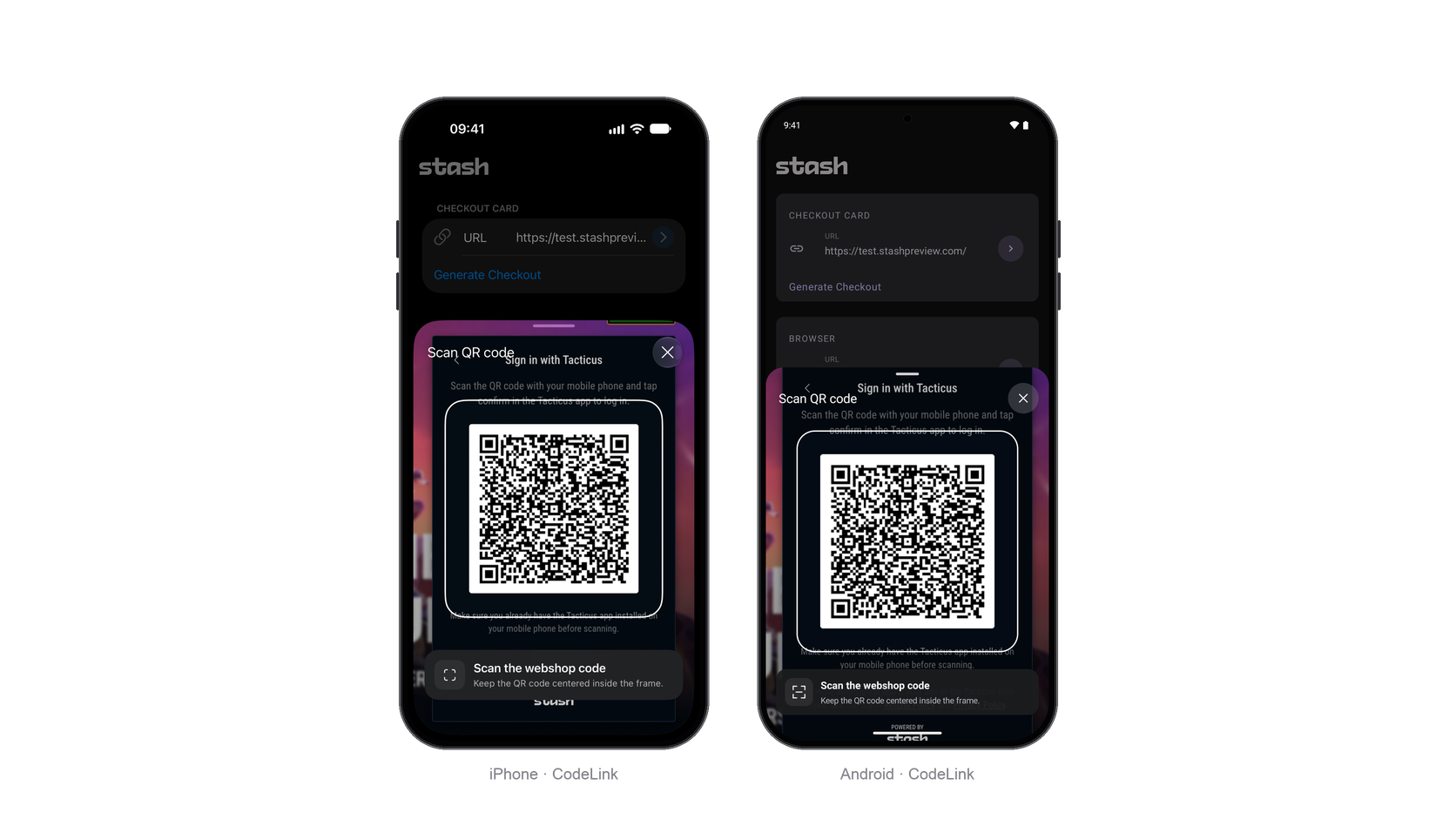
QR Code Linking lets users scan a Stash Webshop QR code in a native card over the host application. Results arrive through callbacks for your app to complete account linking.
Installation
QR Code Linking requires the optional StashNativeCodeLink module in addition to the core SDK. No additional SDK import is required.
Prebuilt modules are available on GitHub Releases. Replace <tag> with the release tag you downloaded.
iOS
Add the StashNativeCodeLink library through Swift Package Manager, or add StashNativeCodeLink.xcframework with Embed & Sign. Set NSCameraUsageDescription in your app’s Info.plist to explain why camera access is needed.
Custom builds that link static archives directly must pass -ObjC to retain the scanner.
Android
Copy StashNativeCodeLink-<tag>.aar into app/libs/ and add it with its dependencies:
dependencies {
    implementation files('libs/StashNativeCodeLink-<tag>.aar')
    implementation 'androidx.camera:camera-camera2:1.4.2'
    implementation 'androidx.camera:camera-lifecycle:1.4.2'
    implementation 'androidx.camera:camera-view:1.4.2'
    implementation 'com.google.zxing:core:3.5.3'
}
The module declares the camera permission in its manifest. Source builds use :stashnative-codelink.
CameraX 1.4.2 requires Android Gradle Plugin 8.x. For AGP 7.x, including Unity 2022.3 LTS, use 1.3.4 for all three CameraX libraries.
Open the scanner
Pass the view controller or activity presenting the scanner:
StashNative.sharedInstance().openScanner(from: self, config: nil)
StashNative.getInstance().openScanner(activity, null);
The scanner follows the host application’s orientation and requests camera access when first opened. QR codes are decoded on the device; no images are saved.
Configuration
To optionally customize the scanner text or hide its info callout, pass StashNativeScannerConfig (iOS) or StashNative.ScannerConfig (Android). Empty text values use the defaults.
| Property | Default |
|---|---|
headerText | Scan QR code |
calloutTitle | Scan the webshop code |
calloutSubtitle | Keep the QR code centered inside the frame. |
cameraUnavailableText | Camera unavailable |
connectedText | Connected |
showCallout | true |
let config = StashNativeScannerConfig()
config.headerText = "Escanear código QR"
config.showCallout = false
StashNative.sharedInstance().openScanner(from: self, config: config)
StashNative.ScannerConfig config = new StashNative.ScannerConfig();
config.headerText = "Escanear código QR";
config.showCallout = false;
StashNative.getInstance().openScanner(activity, config);
Callbacks
These events go to the shared receiver; see Setting Callbacks.
| Callback (iOS / Android) | Fires when |
|---|---|
stashNativeDidScanQRCode(_:)onQrCodeScanned(content) | The scanner reads a QR code and closes |
stashNativeDidDismissScanner()onScannerDismissed() | The scanner closes without a scan |
stashNativeScannerDidEncounterError(_:)onScannerError(error) | The scanner cannot start or access the camera; see Errors |
Use the scanned content to complete account linking in your app:
extension StoreViewController: StashNativeDelegate {
    func stashNativeDidScanQRCode(_ content: String) {
        // Use content to complete account linking.
    }
}
StashNative.getInstance().setListener(new StashNative.StashNativeListenerAdapter() {
    @Override
    public void onQrCodeScanned(String content) {
        // Use content to complete account linking.
    }
});
Errors
The iOS callback receives an Error; its NSError.code maps to StashNativeScannerError.Code. Android receives StashNative.ScannerError.
Camera errors leave the scanner open. A missing module or dependency prevents it from opening and sends no dismissal callback.
| Cause | Error (iOS / Android) | Fix |
|---|---|---|
| Camera access denied | .cameraPermissionDeniedCAMERA_PERMISSION_DENIED | Enable camera access using the scanner’s Settings button |
| No camera | .cameraUnavailableCAMERA_UNAVAILABLE | Offer another way to link |
| Camera setup failed | .cameraConfigurationFailedCAMERA_CONFIGURATION_FAILED | Retry later |
| Scanner module or Android dependencies missing | .scannerUnavailableSCANNER_UNAVAILABLE | Complete Installation |
| Camera usage description missing (iOS) | .missingCameraUsageDescription | Add NSCameraUsageDescription |
| Camera permission removed from the manifest (Android) | CAMERA_PERMISSION_NOT_DECLARED | Keep the module’s CAMERA permission in the merged manifest |
Other
Checking state
Check whether an SDK presentation is active. On iOS, read this value on the main thread.
let isPresented = StashNative.sharedInstance().isCurrentlyPresented
boolean isPresented = StashNative.getInstance().isCurrentlyPresented();
Dismissing Scanner
Force dismiss the scanner programmatically:
StashNative.sharedInstance().dismiss()
StashNative.getInstance().dismiss();